
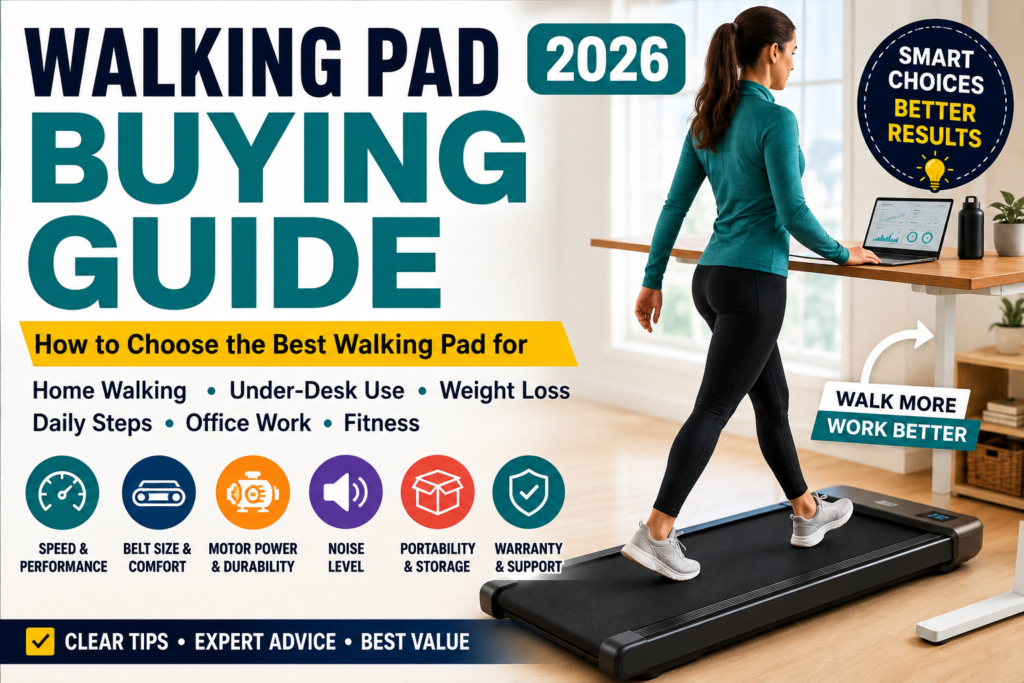
Learn how to choose a walking pad by comparing belt size, speed, motor power, weight capacity, noise, incline, storage, and budget.
LifeCareBalance.com is reader-supported. When you buy through links on our site, we may earn an affiliate commission at no extra cost to you. As an Amazon Associate, we earn from qualifying purchases.
Shopping for a walking pad should not require decoding a long list of confusing specifications. Yet product listings often emphasize peak horsepower, maximum speed, smart features, and claims about quiet operation without explaining whether those features matter for your everyday routine.
The right walking pad depends on how you plan to use it, how much space you have, your natural stride, and how frequently you expect to walk. A compact machine that works well for slow walking during office tasks may not be comfortable for brisk fitness walking. A larger model with incline may be useful for home workouts but unnecessarily expensive or difficult to store if your only goal is to move more during the workday.
This walking pad buying guide explains the specifications worth checking before you buy. You will learn how to compare walking belt dimensions, motor information, weight capacity, speed, noise, incline, portability, warranties, and price without relying on marketing claims alone.
Quick Answer: What Should You Look for in a Walking Pad?
Before comparing brands or models, focus on these priorities:
- Intended use: Decide whether you want under-desk walking, daily steps, brisk walking, or incline workouts.
- Belt dimensions: Check the actual walking surface, not just the machine’s overall dimensions.
- Speed range: Make sure the machine supports your preferred pace and is rated for the intended activity.
- Weight capacity: Choose a model that supports your weight according to the manufacturer’s specifications.
- Motor information: Compare clearly documented ratings and continuous-use guidance instead of relying on peak horsepower alone.
- Desk compatibility: Measure your standing desk height and available clearance.
- Noise and vibration: Consider both motor sound and footsteps reaching other rooms.
- Storage: Check the machine’s weight, thickness, folding design, and transport wheels.
- Warranty and support: Review coverage, return terms, and replacement-part availability.
- Safety: Check the model’s instructions and relevant product safety notices before use.
The most expensive walking pad is not automatically the best choice. A machine that fits your body, workspace, budget, and routine is usually a better purchase than one with features you will rarely use.
What Is a Walking Pad?
A walking pad is a compact motorized treadmill designed primarily for walking. Many models have a low-profile deck and no large upright console, which can make them easier to use beneath a standing desk or store in a small home.
Walking pads vary considerably. Some are simple, flat machines designed for slow walking. Others have folding decks, incline systems, higher maximum speeds, app connectivity, or folding handrails that support a broader range of exercise.
The label alone does not tell you everything you need to know. Some products marketed as walking pads are intended only for walking, while certain 2-in-1 models can also support light jogging or running when configured as directed by the manufacturer.
Before purchasing, confirm the exact model’s intended use, walking surface, speed range, user-weight limit, and operating dimensions.
Who Should Consider Buying a Walking Pad?
A walking pad may be worth considering if you:
- Work from home and want opportunities to walk during suitable tasks.
- Want to increase daily movement without setting aside a large exercise area.
- Live in an apartment or have limited floor space.
- Prefer walking to running.
- Want a convenient option for watching television while walking.
- Need a compact alternative to a traditional treadmill.
- Prefer short walking sessions spread throughout the day.
However, a walking pad is not the right solution for every buyer. If you need substantial incline training, a running surface for regular jogging, or handrails for balance support, compare traditional treadmills and other equipment before deciding.
Walking Pad vs. Under-Desk Treadmill vs. Traditional Treadmill
These product categories overlap, so compare the specifications rather than relying on the name.
| Feature | Walking pad | Under-desk treadmill | Traditional treadmill |
|---|---|---|---|
| Main purpose | Walking at home | Walking while working | Walking and broader workouts |
| Design | Usually compact and low-profile | Designed for desk clearance | Larger frame and console |
| Speed | Model-dependent, often limited | Usually focused on walking | Often offers a broader range |
| Incline | Optional or absent | Optional or absent | Common on many models |
| Handrails | Often absent | Often absent | Usually included |
| Storage | Often easier | Depends on size and weight | Often requires more space |
| Desk compatibility | Must be checked | Primary design consideration | Usually not designed for desk use |
| Best suited for | Daily movement and home walking | Workday movement | Dedicated cardio and running |
An under-desk treadmill is essentially a walking-focused machine intended to fit a workspace. A walking pad may serve the same purpose, but not every model has suitable dimensions or controls for desk use.
If you need a shortlist of models rather than a general buying method, see our Best Walking Pads of 2026 guide.
1. Choose a Walking Pad Based on Your Main Goal
Start with your routine, not the product features.
| Your main goal | Features to prioritize |
|---|---|
| Walking while working | Low-speed control, desk clearance, stable operation, accessible remote |
| Increasing daily steps | Comfortable belt, easy controls, reliable everyday operation |
| Brisk fitness walking | Appropriate speed range, suitable belt length and width |
| Small-apartment use | Folding design, manageable weight, storage dimensions |
| Incline workouts | Manufacturer-supported incline and suitable controls |
| Occasional jogging | A model explicitly rated for jogging, with an appropriate belt and frame |
| Frequent desk walking | Continuous-use guidance, warranty coverage, and accessible service |
| Shared household use | Appropriate capacity, belt dimensions, and controls for each intended user |
A higher maximum speed is not necessarily useful if you only plan to walk slowly during work calls. Likewise, an incline feature may be worthwhile for dedicated workouts but unnecessary for someone who wants a simple way to move more during the day.
2. Check the Walking Belt Size
The walking belt is one of the most important specifications because it determines the space available for each step.
Do not confuse the overall length of the machine with the length of its usable walking surface. The frame and motor housing can occupy space that is not available for walking.
Belt length
Taller people and users with longer natural strides may benefit from a longer belt. The required length also depends on walking speed and individual gait.
A shorter belt may feel comfortable during slow walking but become restrictive when you walk faster. If you are tall, plan to walk briskly, or find yourself drifting toward the front or back of a short deck, compare longer walking surfaces.
Belt width
A wider belt gives you more room for natural foot placement. A narrow belt may work for a user who walks slowly and comfortably within its boundaries, but it can feel restrictive for someone who wants more lateral room.
How to compare dimensions
Before buying:
- Find the manufacturer’s stated belt length and width.
- Confirm whether those numbers describe the actual walking belt or the entire deck.
- Compare the dimensions with your height and natural stride.
- Consider how the belt will feel at your usual speed.
- Check the return policy in case the walking surface feels too small.
There is no single belt dimension that is ideal for every person. If possible, try a comparable machine before committing to a purchase.
3. Understand Motor Power and Horsepower Claims
Motor specifications can be confusing because product listings may use different terms and measurement methods.
Peak horsepower generally describes a maximum output under particular conditions. It does not, by itself, establish how well a motor will perform during long walking sessions.
Continuous-duty ratings, when provided and clearly defined, can offer more useful information about sustained operation. However, not every manufacturer reports motor power in the same way, and a specification should not be treated as directly comparable unless the measurement basis is clear.
When comparing walking pads, check:
- Whether the manufacturer provides a continuous-duty rating.
- Whether the manual explains the intended operating duration.
- Whether the product is designed for occasional or frequent use.
- Whether the stated user-weight capacity suits your needs.
- Whether the warranty covers the motor and related components.
- Whether the manufacturer offers troubleshooting and replacement parts.
Do not assume that a machine with a larger advertised horsepower number is necessarily more durable, quieter, or suitable for longer sessions. Motor performance is only one part of the complete design.
If a listing provides only vague motor claims, look for a manufacturer manual or official specification sheet before buying.
4. Choose the Right Weight Capacity
The maximum user weight is a specification you should verify before purchasing. The machine must be rated to support your weight according to the manufacturer’s instructions.
A few practical considerations matter:
- Do not exceed the stated user-weight limit.
- Compare the rating for the exact model and generation.
- Consider belt dimensions and overall stability as well as capacity.
- Review the manufacturer’s guidance on continuous use.
- Check whether warranty coverage has relevant usage restrictions.
Some shoppers prefer a model with capacity above their current weight to provide more flexibility when comparing products. However, there is no universal extra-weight margin that guarantees better durability or safety for every walking pad.
A higher published capacity also does not automatically mean a machine will feel more comfortable. Belt width, deck stability, motor specifications, and intended use remain important.
5. Match the Speed Range to Your Routine
A walking pad’s maximum speed tells you the fastest speed it can reach under the manufacturer’s stated conditions. It does not mean you need to use that speed.
The following ranges are practical starting points rather than medical or fitness prescriptions.
| Intended activity | Illustrative speed range | What to consider |
|---|---|---|
| Gentle walking | 0.5–2 mph | Comfortable control and balance |
| Desk walking | About 1–2 mph | Typing accuracy and workspace stability |
| Everyday walking | About 2–3.5 mph | Comfortable pace for routine movement |
| Brisk walking | About 3–4 mph or higher | Belt length and the model’s rated capabilities |
| Faster exercise | Model-dependent | Confirm that the machine is specifically rated for the intended activity |
Your comfortable speed may be different from these examples. Start slowly, especially when using a new machine or walking while distracted.
Walking while typing can affect fine-motor tasks. A study of treadmill workstations found that some measures of typing and mouse performance were lower during walking than during seated work. Read the PubMed study on treadmill workstations and work performance for research details.
For focused typing, consider remaining seated or stationary when accuracy is especially important. Slow walking may be more practical for reading, listening to calls, or other tasks that do not require precise hand movements.
6. Consider Noise and Vibration
Noise can be especially important in apartments, shared homes, and home offices.
There are at least two different sounds to consider:
- Motor and belt noise: Sound produced by the machine’s motor and moving components.
- Footstep impact: Sound and vibration created when your feet contact the walking surface.
A machine with a quiet motor can still transmit footsteps through a hard floor. The result depends on the walking pad, the floor construction, footwear, walking style, speed, and whether an appropriate mat is permitted by the manufacturer.
Before purchasing, look for independent reviews that describe noise during actual use rather than only quoting a manufacturer’s decibel figure. A published noise rating is most useful when the testing conditions are also clear.
For apartment use, consider where the machine will sit and whether vibration could affect people in neighboring rooms or floors. Follow the manufacturer’s guidance on suitable surfaces and ventilation.
If you take frequent video calls, test your microphone and speaking setup while walking slowly. You may find it more practical to stop the machine during important meetings.
7. Decide Whether You Need Incline
Incline can increase workout variety, but it is not essential for every walking pad buyer.
When incline may be useful
- You want to vary workout intensity without relying only on speed.
- You prefer uphill-style walking.
- You plan to use the machine for dedicated exercise rather than desk walking alone.
- You are comfortable with the machine’s controls and intended use.
When you may not need it
- Your primary goal is slow walking during work.
- You prioritize compact storage and simplicity.
- You expect to use the machine for short daily walking sessions.
- The incline feature adds cost without serving a clear purpose.
Check whether the incline is manual or automatic, what range the manufacturer supports, and whether the machine can safely be stored in the position you need.
Do not select an incline percentage based on generalized claims about protecting knees or treating joint problems. Individual needs vary, and a general equipment buying guide cannot establish what is appropriate for a specific medical condition.
8. Make Sure It Fits Under Your Standing Desk
A walking pad can be compact yet still be incompatible with your workstation.
Measure the desk before buying. The deck raises your feet above the floor, which changes the effective relationship between your body and your keyboard, mouse, and monitor.
Check these details:
- Desk height: Can the desk rise high enough for a comfortable standing posture while you are on the walking pad?
- Keyboard and mouse: Can you keep your shoulders relaxed and elbows in a comfortable position?
- Monitor height: Can you view the screen without repeatedly bending your neck?
- Clearance: Is there enough room for the machine and your natural movement?
- Controls: Can you adjust speed or stop the machine without reaching awkwardly?
- Work tasks: Can you slow down or stop when a task requires precision?
Start with slow walking and increase the pace only if you can maintain control and a comfortable posture. Do not assume that a machine is desk-compatible simply because the seller uses the phrase “under-desk treadmill.”
For more workspace-specific considerations, read our Best Under-Desk Walking Pads of 2026 guide.
9. Compare Portability and Storage
A walking pad’s storage requirements can matter as much as its operating footprint.
Before ordering, measure the location where you plan to store it. Check the full dimensions when folded and unfolded, the machine’s weight, and any manufacturer restrictions on vertical storage.
Folding design
A folding deck can reduce the space needed for storage, but check the folded dimensions and how the locking mechanism works.
Transport wheels
Wheels can make moving a machine easier, but they do not mean every model is light enough to carry comfortably.
Deck height
If you want to store the pad beneath a bed or sofa, compare the machine’s height with the actual clearance under your furniture. Include any obstacles that might interfere with sliding it in and out.
Weight
A heavier machine may be less convenient to move between rooms. A lighter model may be easier to relocate, but weight alone does not establish build quality.
Choose a storage design that matches your home rather than assuming that every walking pad is easy to put away after each session.
10. Check the Display, Remote, and App
Convenience features can make regular use easier, but they should come after the essential specifications.
A clear display may show speed, distance, time, or other workout information. Remote controls can make speed changes easier, while app connectivity may support tracking or workout history.
Before paying extra, ask:
- Can you adjust speed without interrupting your routine?
- Does the machine include a physical remote?
- Are the displayed measurements clearly explained?
- Does the app require an account or subscription?
- Will the app work with your phone?
- Can you use the machine if the app is unavailable?
If you want a simple walking routine, you may not need a large collection of smart features. Prioritize the controls you will actually use.
11. Review Warranty, Returns, and Customer Support
A walking pad contains moving parts and electronic components. Warranty coverage and after-sales support therefore deserve attention.
Read the terms for:
- Motor coverage.
- Frame coverage.
- Belt and electronic-component coverage.
- Parts and labor.
- Return shipping and restocking fees.
- Replacement-part availability.
- Required maintenance.
- Any restrictions on daily operating duration.
A long warranty is useful only if you understand what it covers and how to make a claim. Check who is responsible for support when purchasing through a marketplace, and save the product manual and proof of purchase.
Do not assume that every seller offers the same warranty for the same brand. Terms can vary by model, seller, and purchase location.
12. Understand Maintenance Requirements
Walking pads require appropriate care, even if they are advertised as low-maintenance equipment.
Depending on the model, the manufacturer may recommend:
- Removing dust and debris.
- Checking belt alignment.
- Lubricating the belt with the specified product when required.
- Keeping ventilation openings clear.
- Inspecting the power cord and controls.
- Following limits on continuous use.
Maintenance requirements differ between machines. Do not apply lubricant, remove covers, or attempt repairs unless the instructions permit it.
Unplug the unit before performing any maintenance that requires access to areas around moving parts, and follow the manufacturer’s safety instructions.
How Much Should You Spend on a Walking Pad?
Price varies with the machine’s design, capacity, features, and current promotions. These ranges are planning estimates, not guarantees of quality.
| Budget | What to compare carefully |
|---|---|
| Under $200 | Intended use, return policy, belt dimensions, motor documentation, and warranty |
| $200–$400 | Balance of basic features, dimensions, capacity, controls, and support |
| $400–$600 | Whether incline, higher capacity, or additional features justify the cost |
| $600 and above | Whether the machine’s intended use, build, service, and warranty justify the premium |
Do not assume that a more expensive machine is automatically quieter or more durable. Look for evidence in the specifications, manual, warranty terms, and independent testing.
The best value is the model that satisfies your requirements without making you pay for features you will not use.
Which Walking Pad Features Matter Most for Different Users?
| Buyer | Highest priorities |
|---|---|
| Beginner | Simple controls, comfortable speed range, clear instructions |
| Desk worker | Desk clearance, slow-speed control, manageable noise |
| Apartment resident | Storage, vibration, transport wheels, operating noise |
| Tall user | Actual belt length and a comfortable stride |
| User needing a higher weight limit | Published capacity, belt dimensions, stability, warranty |
| Fitness-focused walker | Appropriate speed range, incline if needed, reliable controls |
| Small-space household | Folded dimensions, machine weight, practical storage |
| Frequent daily user | Continuous-use guidance, maintenance, support, warranty |
Your top priority should determine which specifications you compare first. This makes it easier to avoid paying for features that do not support your routine.
Is a Walking Pad Useful for Daily Activity or Weight Loss?
A walking pad can make it more convenient to walk during time that might otherwise be spent sitting. Research on treadmill desks has found that they can increase energy expenditure in some settings, although results depend on the study design and how the equipment is used.
A systematic review and meta-analysis examined treadmill desks and related outcomes in adults. You can read the research summary on treadmill desks, energy expenditure, and sitting time.
A walking pad should not be treated as a guaranteed weight-loss solution. Body-weight changes depend on several factors, including eating patterns, total activity, consistency, sleep, and individual circumstances.
For broader activity guidance, the CDC’s Physical Activity Guidelines for Adults explain recommended levels of physical activity. A walking pad may help some people add movement, but it does not replace every form of exercise.
Walking Pad Safety: What to Check Before Use
Safety should be part of your buying decision.
Before using a walking pad:
- Read the instructions for your exact model.
- Confirm the maximum user weight and intended activity.
- Learn how to stop the belt quickly.
- Keep children and pets away from a moving machine.
- Wear appropriate footwear.
- Start at a slow speed.
- Keep the area around the machine clear.
- Use the machine on a surface permitted by the manufacturer.
- Do not use a model that is damaged or operating abnormally.
It is also worth checking official safety notices. In April 2026, the U.S. Consumer Product Safety Commission issued a warning concerning specific Sperax walking pads and treadmills, identifying models including Pro, Q1, RM-01, and RM-02. Read the CPSC safety warning and check whether any notice applies to the exact product you are considering.
That warning concerns the named products; it should not be interpreted as evidence that every walking pad is affected. The practical lesson is to check the model number and current safety information before buying or continuing to use a machine.
Common Walking Pad Buying Mistakes
Choosing by maximum speed alone
A high top speed does not guarantee a comfortable belt, appropriate motor rating, or suitability for daily use.
Ignoring belt dimensions
The machine may fit your room while its walking surface feels too short or narrow.
Trusting peak horsepower without context
A peak figure alone does not establish sustained performance. Check the manufacturer’s documentation.
Assuming every model is suitable for running
Many walking pads are intended primarily for walking. Verify the specific model’s rated use before attempting faster exercise.
Forgetting to measure storage space
Check the folded dimensions and the actual clearance under your furniture before ordering.
Assuming every machine is quiet
Motor noise and footstep vibration are different. Your home’s flooring and layout affect what you hear.
Buying features you will not use
If you only want slow walking while working, an expensive incline system or extensive app features may not be worth the extra cost.
Overlooking support and warranty terms
A product’s purchase price matters, but so does what happens if it needs a repair or replacement part.
Walking Pad Buying Checklist
Use this checklist before placing an order.
- I have identified my main use: desk walking, daily steps, fitness walking, or incline.
- The actual walking belt is appropriate for my height and stride.
- The speed range matches my intended activity.
- The manufacturer’s motor specifications and use instructions are clear.
- The machine’s user-weight limit supports my needs.
- I have considered noise and vibration in my home.
- My standing desk can accommodate the deck height.
- I have measured the operating and storage space.
- I understand how the machine starts, stops, and changes speed.
- I have checked warranty coverage, returns, and customer support.
- I have reviewed maintenance instructions.
- I have checked relevant safety notices for the exact model.
- The price reflects features I will actually use.
If several important specifications are missing from a listing, do not guess. Check the manufacturer’s official documentation or choose a model with clearer information.
Frequently Asked Questions
What is the most important thing to look for in a walking pad?
Start with intended use, belt dimensions, speed range, and user-weight capacity. Then check desk compatibility, noise, storage, warranty, and safety information.
How fast should I walk on a walking pad while working?
Many people start around 1–2 mph because slower walking can be easier for typing and mouse use. Your comfortable speed may differ. Start slowly and stop walking when a task requires precise hand movements or your full attention.
Is a higher horsepower rating always better?
No. Horsepower figures may describe different types of output. Compare clearly defined manufacturer ratings, operating guidance, intended use, warranty, and the other specifications together.
Do I need an incline walking pad?
Not necessarily. Incline may be useful for dedicated workouts, but it is not essential for simple daily steps or most slow desk-walking routines.
Can I store a walking pad under a bed?
Some models can fit under furniture, but you must check the machine’s height and the actual clearance under your bed. Follow the manufacturer’s storage instructions rather than assuming vertical or sideways storage is allowed.
Are walking pads suitable for running?
Many are designed for walking rather than running. Only consider faster exercise if the specific model is rated for it and its belt, frame, and safety features suit the intended activity.
Are walking pads noisy in apartments?
Noise varies by model, speed, walking style, and flooring. Footstep vibration can travel through floors even when the motor sounds quiet. Check real-world reviews and consider your neighbors and household members.
How long does a walking pad last?
There is no reliable lifespan that applies to every model. Durability depends on construction, usage, maintenance, operating conditions, and access to replacement parts. Follow the manufacturer’s maintenance schedule and warranty terms.
Is a more expensive walking pad worth buying?
It can be, if the additional cost provides features you genuinely need, such as a more suitable belt, incline, capacity, or better support. Price alone is not proof of quality.
Final Verdict: How to Choose the Right Walking Pad
The right walking pad is the one that fits your body, space, intended speed, and routine—not necessarily the one with the most features or the biggest horsepower claim.
For desk use, prioritize slow-speed control, desk height, belt dimensions, and noise. For home fitness, compare speed range, incline, stability, and the intended workout. For small spaces, measure the storage location and consider how easily you can move the machine.
Before buying, verify the exact model’s specifications, warranty, return terms, and safety information. A few minutes spent checking these details can help you avoid choosing a machine that does not fit your needs.
The goal is not to buy the most complicated walking pad. It is to choose one you can use comfortably, safely, and consistently.