
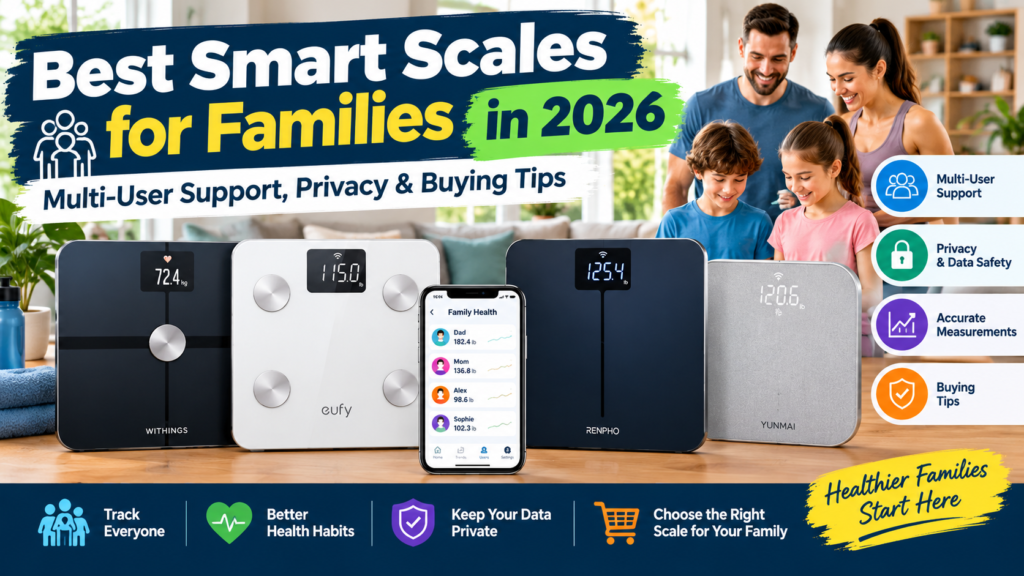
Compare the best smart scales for families in 2026. Explore multi-user profiles, Wi-Fi syncing, privacy, body-fat estimates, and the right scale for your household.
LifeCareBalance.com is reader-supported. When you buy through links on our site, we may earn an affiliate commission at no extra cost to you. As an Amazon Associate, we earn from qualifying purchases.
Choosing a smart scale for one person is relatively simple. Choosing one for a household is different. Parents, teenagers, fitness enthusiasts, and older adults may all want to use the same scale, but they do not necessarily need the same features or want the same information shared.
The best smart scales for families combine reliable weight measurement, separate user profiles, convenient syncing, and an app that makes it easy to follow individual trends. Some models support a limited number of automatically recognized users, while others allow additional app profiles or shared access. Features such as guest mode, Wi-Fi connectivity, and a readable display can make a meaningful difference in everyday use.
This guide compares four options for different household needs, explains what to verify before buying, and covers important considerations for family privacy and body-composition tracking.
Quick Answer: Which Smart Scale Is Best for a Family?
For most households, the Withings Body Smart is a strong starting point because it combines automatic recognition for up to eight users, Wi-Fi and Bluetooth connectivity, and a color display. The Etekcity HR Smart Fitness Scale is worth considering for families who want a broad selection of metrics and compatibility with several fitness platforms. The Wyze Scale Ultra is an option for households that value a large on-scale display and convenient sharing, while the Eufy Smart Scale P2 Pro suits buyers interested in app-based body-composition tracking.
The right choice depends on more than the number of metrics advertised. Before buying, confirm the exact model, user limits, supported apps, data-sharing arrangements, and current price.
Best Smart Scales for Families at a Glance
| Smart scale | Best for | Main strengths | Important consideration |
|---|---|---|---|
| Withings Body Smart | Best overall family option | Up to eight recognized users, Wi-Fi and Bluetooth, color display | Check which app features require a paid plan |
| Etekcity HR Smart Fitness Scale | App and metric flexibility | Wi-Fi, a color display, several fitness integrations | Verify the exact model and profile behavior |
| Wyze Scale Ultra | Shared household use | Large display, Wi-Fi and Bluetooth, family sharing | Check current health-platform compatibility |
| Eufy Smart Scale P2 Pro | App-focused body-composition tracking | Multiple metrics and app-based tracking | Similar weights can complicate automatic recognition |
Specifications and software features can change. Confirm the current manufacturer listing before purchasing.
1. Withings Body Smart — Best Overall for Most Families

- A CLINICAL SCAN OF YOUR HEALTH – Body Smart, developed in collaboration with leading hospitals and clinical institutions…
- ACHIEVE YOUR WEIGHT GOALS FASTER – Reliably track your weight to within 50 g and view your weight trends directly on the…
- INCREASE MUSCLE MASS FASTER – Increase muscle mass faster by analyzing body composition to tailor efforts.
The Withings Body Smart is a sensible option for households that want more than a basic bathroom scale without moving to a premium, handle-equipped body scanner.
Withings says the scale recognizes up to eight users and supports Wi-Fi or Bluetooth syncing. Its color display makes measurements easier to view without relying entirely on a smartphone. The companion app stores measurements and presents trends over time.
Why it works for family use
A household with several adults benefits from automatic profile recognition and individual measurement histories. Wi-Fi syncing is particularly useful when family members weigh themselves at different times and do not want to open the app for every measurement.
The scale also offers body-composition estimates, including body fat and other metrics. These are estimates rather than direct measurements, so they are best used to observe trends under similar conditions.
Best for: Households with up to eight users who want a well-rounded connected scale.
Consider another option if: Your family specifically needs hand-to-foot segmental analysis or you want to avoid creating manufacturer app accounts.
Check the current features directly on the official Withings Body Smart product page.
Before buying, confirm that the current US model supports the features you intend to use and that its app works with your household’s phones.
2. Etekcity HR Smart Fitness Scale — Best for App and Metric Flexibility

- 𝙁𝙎𝘼 / 𝙃𝙎𝘼 𝙚𝙡𝙞𝙜𝙞𝙗𝙡𝙚
- 𝙄𝙈𝙈𝙀𝙍𝙎𝙄𝙑𝙀 𝘼𝙋𝙋 𝙀𝙓𝙋𝙀𝙍𝙄𝙀𝙉𝘾𝙀: Free Vesync APP can sync information with Apple Health, Google Fit, FitBit, MyFitnessPal and S…
- 𝙎𝙈𝘼𝙍𝙏 𝙒𝙞-𝙁𝙞 𝘾𝙊𝙉𝙉𝙀𝘾𝙏𝙄𝙑𝙄𝙏𝙔: The scale effortlessly connects to Wi-Fi, automatically syncing your health data to the cloud …
Etekcity offers several smart-scale models, so it is important not to treat the entire product range as one device. The HR Smart Fitness Scale, model EFS-A591S-KUS, has Wi-Fi connectivity, a color display, and support for several health and fitness integrations through VeSync.
The manufacturer lists compatibility with Apple Health, Fitbit, MyFitnessPal, Google Fit, and Samsung Health. App and platform support can change, so check the latest compatibility information before purchase.
Why it may suit a family
Different family members may already use different fitness apps. A scale that works with the platforms they prefer can reduce the need to maintain separate tracking routines.
Its on-scale display is another practical advantage. Users can view selected metrics without having to look at a phone immediately after weighing themselves.
However, do not assume that every Etekcity scale has Wi-Fi, the same display, or identical body-composition features. Check the model number on the box and product listing.
Best for: Families that want app flexibility and more on-device information.
Consider another option if: You want a particularly simple interface or cannot confirm the exact model’s user-recognition behavior.
Review the current model details on the official Etekcity HR Smart Fitness Scale page.
3. Wyze Scale Ultra — Best for a Shared Household Display

- FSA/HSA Eligible
- EXTRA-LARGE 4.3-INCH DISPLAY – This smart scale features a huge, customizable screen to view your body weight, body fat,…
- WI-FI & BLUETOOTH CONNECTIVITY – Sync your data automatically via Wi-Fi or Bluetooth. Step on the scale without your pho…
The Wyze Scale Ultra is designed to make measurements accessible without requiring users to open an app for every weigh-in. Its large color display shows selected body metrics, while Wi-Fi and Bluetooth provide connectivity options.
Wyze lists body-composition metrics and family sharing features, along with modes for weighing items such as luggage and tracking a baby or pet. These special modes are not a substitute for pediatric growth assessment or veterinary advice.
What families should know
A large display can be helpful when several people use the scale, especially if some users prefer not to check a phone after each measurement. Wi-Fi is also useful when the paired phone is not nearby.
Wyze describes sharing and user-recognition features, but families should still review the current setup process rather than assume every person will always be identified correctly. Two people with similar weights may need to correct a misassigned measurement.
The manufacturer’s currently listed health-platform integrations include Apple Health, Health Connect, and Fitbit. Do not assume Samsung Health or Google Fit is directly supported without checking the latest documentation.
Best for: Households that value a large display and convenient sharing.
Consider another option if: Your family needs a specific health-app integration that the current model does not support.
Read the current feature details in the official Wyze Scale Ultra support guide.
4. Eufy Smart Scale P2 Pro — Best for App-Based Tracking

- MEET YOUR PERSONAL COACH: Smart Scale P3 won't yell at you, but it does find the right fitness plan through careful calc…
- MOTIVATE YOURSELF WITH YOUR 3D MODEL: As you progress through your fitness journey, your personal avatar changes with yo…
- SET WHAT YOU SEE FIRST: No more annoying scrolling—instead, you set the body data you want to see and where on Smart Sca…
The Eufy Smart Scale P2 Pro is an option for households that prefer to review their measurements in a companion app. Eufy’s documentation says the P2 Pro supports unlimited users, with automatic identification based on stored profiles and weight.
That can be convenient for a household with several people. However, unlimited profile support does not mean recognition will be perfect every time. When two users have similar weights, check the app to make sure the measurement has been assigned correctly.
What makes it worth considering?
The P2 Pro provides multiple body-composition estimates and offers connected tracking through the EufyLife app. Its visual presentation may appeal to people who prefer reviewing progress graphs rather than looking only at a number on the scale.
For families, the more important question is how each person accesses the data. Set up profiles carefully, understand whether accounts are linked, and avoid assuming that every profile is private by default.
Best for: Families that want app-based progress tracking and flexible user profiles.
Consider another option if: You prefer a more informative built-in display or want fewer app-dependent features.
Check the manufacturer’s Eufy multi-user scale support information before buying.
How to Choose the Right Smart Scale for Your Family
The best choice depends on how the scale will actually be used. A household of two adults has different needs from a family of six that includes teenagers and grandparents.
1. Check the number of supported users
Manufacturers may distinguish between automatically recognized users, app profiles, and guests. These are not necessarily the same thing.
Before buying, answer three questions:
- How many people can the scale recognize automatically?
- Can each person maintain a separate profile and measurement history?
- Can visitors use it without creating a permanent profile?
If your household is larger than the scale’s automatic recognition limit, confirm how additional users are handled.
2. Understand automatic user recognition
Many smart scales identify users by comparing a new reading with existing profile information, including weight. That is convenient, but it is not infallible.
Consider a household in which two adults weigh nearly the same amount. The scale may assign a reading to the wrong person, especially if their weights change over time.
A good family routine includes checking the app after the first few weigh-ins and correcting misassigned readings. Do not assume that an automatic assignment is always correct.
3. Decide whether Wi-Fi is worth paying for
Wi-Fi-enabled scales can often sync measurements without a paired phone being nearby. Bluetooth models generally rely more heavily on phone proximity and the manufacturer’s syncing process.
For a busy household, Wi-Fi can make routine tracking easier. For a single user who always keeps a phone nearby, Bluetooth may be enough.
The important detail is how the specific model stores and syncs readings. Read the instructions instead of assuming all connected scales behave the same way.
4. Check app compatibility before purchasing
A scale’s app can be as important as its hardware. Confirm compatibility with the actual phones and health platforms your family uses.
Check for:
- iPhone and Android support.
- Apple Health integration, if needed.
- Google Health Connect or other Android health integrations.
- Fitbit or Samsung Health compatibility, if important to your routine.
- Clear measurement history and useful trend graphs.
- A way to correct readings assigned to the wrong profile.
An integration listed for one brand does not automatically apply to every model from that brand.
5. Consider the display and ease of use
Older adults, people with limited mobility, and users who dislike smartphone apps may prefer a scale with large, readable numbers.
Look for a stable platform, non-slip feet, clear instructions, and an app that does not require frequent troubleshooting. A scale with fewer features may be a better choice if it is easier for everyone in the household to use correctly.
6. Review weight capacity and platform size
Check the maximum weight listed for the exact US model. Also consider platform dimensions and whether the surface feels stable for each intended user.
Place the scale on a firm, level floor rather than a soft carpet unless the manufacturer specifically provides a suitable accessory for that surface.
7. Compare useful features, not just metric counts
A scale advertising 20 or more metrics is not automatically better than one showing fewer numbers. Many body-composition metrics are derived from the same underlying impedance measurement and prediction formulas.
For most families, reliable weight history, easy profile management, readable results, and appropriate app compatibility matter more than a long list of estimated values.
Are Smart Scales Accurate for Body Fat?
Smart scales usually estimate body fat using bioelectrical impedance analysis, or BIA. The device measures how an electrical signal travels through the body and combines that information with other inputs to estimate body composition.
This is different from directly measuring fat mass.
A study comparing three commercially available smart scales with DXA found that weight measurements were much closer to the reference results than some body-composition measurements. The researchers concluded that the tested smart scales should not replace DXA for body-composition assessment in patient care.
That does not make smart scales useless. It means the results need to be interpreted appropriately.
For general household use:
- Treat weight as the primary measurement.
- Use body-fat and muscle estimates as rough trends, not exact values.
- Avoid comparing percentages from different brands as if they were interchangeable.
- Measure under similar conditions when tracking progress.
- Seek professional guidance when a clinical assessment is needed.
For the full discussion of BIA limitations and research, read our smart-scale body-fat accuracy guide.
Smart Scale Privacy: What Families Should Check
Weight and body-composition measurements can be personal. Before connecting a scale to multiple users, review how its app handles profiles and data sharing.
Ask these questions:
- Does each person need a separate app account, or are profiles managed under one account?
- Who can view another person’s measurement history?
- Can a parent or account administrator access linked profiles?
- Does the app sync information to the manufacturer’s cloud?
- Can users delete their history or disconnect third-party integrations?
- What privacy settings are available for teenagers?
Do not assume that separate profiles guarantee complete privacy. Account administrators, shared logins, linked apps, and cloud services can affect who sees the information.
For teenagers, discuss how measurements will be used before introducing body-composition tracking. The aim should be appropriate health habits and wellbeing—not pressure to reach a particular body-fat percentage or appearance goal.
Are Smart Scales Appropriate for Children and Older Adults?
Children and teenagers
A smart scale may record body weight, but adult body-fat targets and body-composition interpretations are not appropriate substitutes for pediatric assessment. Children’s bodies change as they grow, and weight data should be interpreted in the context of age, development, and individual circumstances.
Avoid using the scale to enforce restrictive diets or appearance-based goals. If there are concerns about growth or weight, consult a pediatric healthcare professional.
Older adults
For older family members, ease of use may matter more than the number of metrics. Look for a clear display, a stable platform, simple setup, and an easy way to view results.
If standing on a scale creates a balance risk, prioritize safety over smart features and seek professional advice about a suitable weighing method.
Pregnancy and implanted medical devices
Some scales advise users to disable BIA body-composition measurements during pregnancy or when using implanted electronic medical devices. Guidance varies by manufacturer and device.
Check the instructions for the exact model and ask a qualified healthcare professional when appropriate. Do not assume that every smart scale has identical safety guidance.
Wi-Fi vs. Bluetooth: Which Is Better for Families?
| Feature | Wi-Fi scale | Bluetooth scale |
|---|---|---|
| Phone nearby | Often not required for syncing | Usually more important |
| Shared household routine | Convenient for multiple users | Can work well with the right app routine |
| Setup | Requires Wi-Fi configuration | Usually relies on Bluetooth pairing |
| Main consideration | Network and cloud setup | Phone proximity and syncing behavior |
Neither connection type guarantees better measurement accuracy or stronger privacy. Wi-Fi mainly improves convenience when readings need to sync without a phone nearby. Review the privacy policy and syncing instructions for the model you choose.
Do Family Smart Scales Require a Subscription?
Some smart scales provide core weight tracking and basic body-composition estimates through a free app, while other services offer optional subscriptions for coaching, reports, or additional insights.
Do not assume every feature will remain free. Check the current product page and app terms for subscription requirements, especially if you plan to share the device among several people.
When comparing prices, consider the total cost over time—not just the scale’s initial purchase price.
How We Evaluated These Family Smart Scales
This guide focuses on manufacturer-documented features relevant to shared household use: user support, connectivity, display readability, app integrations, body-composition tracking, and practical limitations.
The recommendations are based on a comparison of published product information and supporting documentation, not a claim that LifeCareBalance independently tested every model in a household trial. Prices, software integrations, and available features can change; readers should verify the current US listing before buying.
Frequently Asked Questions
What is the best smart scale for a family?
The Withings Body Smart is a strong all-around option for households that want up to eight recognized users, Wi-Fi or Bluetooth syncing, and a color display. The best choice still depends on app compatibility, budget, and family preferences.
Can multiple people use the same smart scale?
Yes. Many connected scales support multiple profiles. However, the maximum number of recognized users and the way guest measurements are handled vary by model.
Can a smart scale confuse two family members?
Yes. If users have similar weights, automatic recognition may assign a reading incorrectly. Check the measurement history and correct the profile when needed.
Is Wi-Fi better than Bluetooth for a family scale?
Wi-Fi is often more convenient because readings can sync without a phone nearby. Bluetooth may be sufficient for smaller households or people who regularly keep their phone with them.
Are smart scales accurate for body fat?
They estimate body fat rather than measuring it directly. The readings may be useful for following trends under consistent conditions, but they should not be treated as clinical measurements.
Should children use body-fat tracking on smart scales?
Adult body-composition targets are not appropriate for assessing a child’s development. If weight or growth is a concern, consult a pediatric healthcare professional.
Can family members see each other’s measurements?
That depends on how the manufacturer handles accounts, profiles, permissions, and linked services. Review the privacy settings before sharing a scale, especially when teenagers use it.
Do smart scales work without a phone?
Some scales display weight and selected metrics directly on the device. However, account setup, historical charts, and certain measurements may require the companion app. Confirm the details for the exact model.
Do smart scales require a paid subscription?
Not always. Some provide core tracking without a subscription, while additional insights or coaching may require payment. Check the current terms before purchasing.
What matters most when buying a family smart scale?
Prioritize accurate weight tracking, correct user assignment, profile separation, suitable app compatibility, privacy settings, a readable display, and a weight capacity appropriate for the household.
Final Recommendation
For most families, start with the Withings Body Smart if you want a connected scale with a clear display and support for up to eight users. Consider the Etekcity HR Smart Fitness Scale if its app integrations and on-device metrics match your household’s needs. The Wyze Scale Ultra is worth considering for its large display and sharing features, while the Eufy Smart Scale P2 Pro offers app-based body-composition tracking for users who prefer a more visual experience.
Before purchasing, verify the exact US model, current user limits, supported apps, privacy settings, and return policy. A family scale should make everyday tracking simpler—not create confusion about whose data is whose.
The most useful device is not necessarily the one with the most metrics. It is the one your household can use consistently, safely, and with a clear understanding of what the measurements can—and cannot—tell you.