
LifeCareBalance.com is reader-supported. When you buy through links on our site, we may earn an affiliate commission at no extra cost to you. As an Amazon Associate, we earn from qualifying purchases.
If your Polar H10 heart rate monitor is showing inconsistent readings, losing its connection, or failing to detect your heart rate, the battery may need replacing. However, a low battery is not the only possible cause. Dirty electrodes, a loose chest strap, and connection problems can also affect performance.
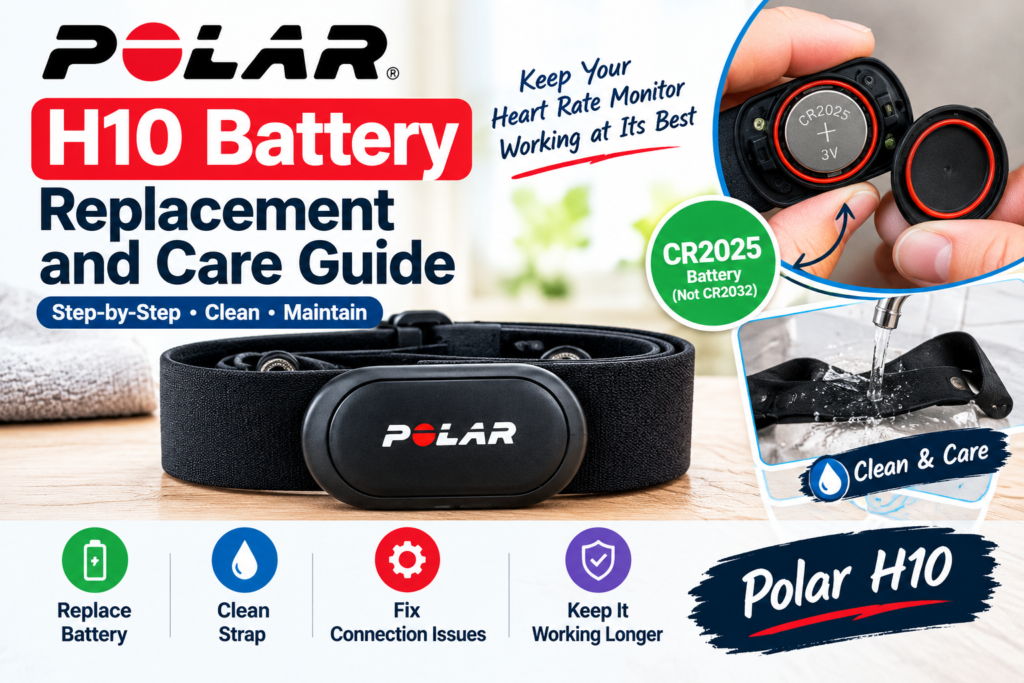
The Polar H10 uses a replaceable CR2025 coin-cell battery. Polar specifies a battery life of approximately 400 hours of use, although actual performance varies. With the correct battery, careful installation, and regular cleaning, you can help maintain your sensor and strap.
This guide explains how to replace the Polar H10 battery, identify common warning signs, clean the chest strap, troubleshoot problems after replacement, and avoid mistakes that could damage the sensor.
Quick Answer: How Do You Replace the Polar H10 Battery?
To replace the Polar H10 battery, open the battery cover using the clip on the strap, remove the old battery, and insert a new CR2025 battery with the positive (+) side facing downward inside the cover. Check that the red sealing ring is clean, correctly positioned, and undamaged. Align the cover and press it closed until it snaps into place.
Important: Do not substitute a CR2032 battery. Use the CR2025 type specified by Polar.

- 3V LITHIUM Coin Lithium Batteries: One 2 pack of Energizer 2025 Batteries
- 3-IN-1 CHILD SHIELD: Featuring 3-in-1 Child Shield with three lines of defense: Color Alert, a bitter coating, and child…
- COLOR ALERT: Color Alert technology dyes the mouth blue seconds after contact with saliva to alert caregivers to act fas…

- IN THE BOX: 6-pack of CR2025 3-volt lithium coin cell replacement batteries for small electronic devices
- DEVICE COMPATIBLE: Ideal for watches, calculators, games and more
- LONG LASTING: Long-lasting, reliable battery life; performs in extreme temperatures
Polar H10 Battery Specifications
| Feature | Details |
|---|---|
| Battery type | CR2025 coin cell |
| Battery design | Replaceable, not rechargeable |
| Manufacturer-stated battery life | Approximately 400 hours |
| Replacement method | Open and reseat the battery cover |
| Water-resistance consideration | The sealing ring and cover must be correctly fitted |
| Pairing after replacement | May be required on older firmware or certain devices |
Specifications are based on Polar’s official documentation. Battery life is an estimate, not a guarantee for every user.
For the latest instructions, consult the official Polar H10 battery guide.
1. When Should You Replace the Polar H10 Battery?
You do not need to replace the battery after every fixed number of workouts. Instead, pay attention to battery indicators and changes in performance.
The receiving device shows a low battery
If your compatible app or receiving device displays a low-battery warning, check the battery status and prepare a replacement. Polar Beat and Polar Flow may provide battery-status information for supported setups.
Your heart rate reading becomes unreliable
A depleted battery can reduce transmission range and contribute to unusual readings. However, inconsistent heart rate data can also result from dry electrodes, a dirty strap, poor fit, or wireless interference.
Before assuming the battery is the problem, clean the strap, moisten the electrode areas, and check that the sensor is attached securely.
The sensor repeatedly disconnects
A low battery may contribute to connection problems, but disconnecting can also be caused by app settings, competing Bluetooth connections, distance, or compatibility issues.
Try troubleshooting the connection before buying a battery if the monitor was working normally very recently.
The sensor stops transmitting
If the H10 no longer sends heart rate data after you have checked its fit, electrodes, and connections, battery replacement may be appropriate. If it still does not work with a fresh battery, continue with the troubleshooting steps below.
2. How to Replace the Polar H10 Battery Step by Step
The replacement process is straightforward, but correct battery orientation and sealing-ring placement are important.
What you need
- One new CR2025 coin-cell battery from a reputable manufacturer.
- A clean, dry work surface.
- The Polar H10 sensor and its chest strap.
Keep the battery away from children. Coin-cell batteries can cause severe injury if swallowed. Dispose of the old battery according to local regulations.
Step 1: Remove the sensor from the strap
Detach the sensor connector from the chest strap. Work with clean, dry hands and avoid pulling unnecessarily on the strap or connector.
Step 2: Open the battery cover
Use the clip on the strap to help lever the battery cover open, following Polar’s current instructions. Avoid forcing the cover or using excessive pressure, as this can damage the cover or its sealing components.
Step 3: Remove the old battery
Take out the old coin cell and set it aside for safe disposal. Avoid short-circuiting the battery by touching both sides with a metal object.
Step 4: Insert the new CR2025 battery
Place the new CR2025 battery inside the cover with its positive (+) side facing downward. This orientation is important for the H10’s specified battery compartment.
Do not assume the orientation is the same as that of another heart rate sensor. If you are uncertain, check Polar’s official illustration before closing the cover.
Step 5: Inspect the red sealing ring
Check that the red sealing ring is present, clean, correctly positioned, and undamaged.
A missing, twisted, dirty, or damaged seal can compromise the sensor’s water resistance. If the ring is damaged, obtain the appropriate replacement through an authorized Polar service provider rather than improvising a substitute.
Step 6: Close the battery cover
Align the ledge on the cover with the slot on the connector. Hold the ledge in place and press the other side of the cover until it snaps securely into place.
Do not force the cover if it does not align. Reopen it and check the orientation and positioning of the cover and sealing ring.
Step 7: Check the sensor
Reattach the sensor to the strap, put the strap on correctly, and open your compatible app or receiving device. Check whether the H10 is detected and transmitting heart rate data.
If it does not connect, follow the troubleshooting section below.
3. How Long Does the Polar H10 Battery Last?
Polar specifies approximately 400 hours of battery life for the H10. The actual interval between replacements depends on usage, battery quality, operating conditions, and sensor settings.
For example, someone who trains for five hours per week will use the sensor differently from someone who trains for ten hours per week. The manufacturer’s estimate should not be treated as an exact replacement schedule.
How can you help the battery last longer?
- Detach the sensor connector from the strap after every workout.
- Keep the connector and strap clean and dry.
- Use a reputable CR2025 battery when replacement is needed.
- Disable unnecessary transmission options if your supported Polar settings allow it.
- Store the sensor in a dry place and avoid leaving it attached to a damp strap.
If the battery seems to drain unusually quickly, check the sensor’s settings and maintenance before assuming the new battery is defective.
4. How to Clean the Polar H10 After Every Workout
Sweat and residue can build up on the strap and connector. This may affect electrode contact, comfort, and the quality of heart rate readings.
Clean the connector
Detach the connector from the strap after use. Wipe it with a soft towel and allow it to dry before storage.
Avoid unnecessary exposure to cleaning chemicals, solvents, or abrasive materials. Follow Polar’s instructions for the connector rather than immersing it or using a cleaning method intended for clothing.
Rinse the chest strap
After each workout, rinse the textile strap under running water and hang it to dry. Regular cleaning helps remove sweat and salt residue.
Wash the strap regularly
Wash the strap according to its care label and Polar’s instructions. Polar’s guidance for the textile chest strap recommends regular washing; its troubleshooting guidance also advises washing at 40°C (104°F) when removing dirt or dried sweat.
Always detach the sensor connector before washing the strap. Do not put the connector in a washing machine or tumble dryer.
Let the strap dry completely
Allow the strap to air-dry before storing it. Keeping the connector detached and the strap dry helps reduce residue buildup and supports good maintenance.
For more detail, read Polar’s official heart rate sensor maintenance guidance.
5. Why Is My Polar H10 Not Working After Battery Replacement?
A new battery does not guarantee that every connection problem will disappear. Check the following in order.
Problem: The sensor is not detected
- Confirm that the new battery is a CR2025.
- Check that it is installed in the correct orientation.
- Make sure the cover is closed properly.
- Wear the strap so the sensor can operate as intended.
- Open the compatible app or device’s sensor menu and try connecting again.
If the sensor still cannot be found, restart the receiving device and check its Bluetooth or ANT+ settings, as applicable.
Problem: The app connects but shows no heart rate
Moisten the electrode areas on the inside of the strap with water and ensure the strap fits securely against your skin. Check that the connector is attached to both strap snaps.
Dry electrodes or poor skin contact can prevent a reading even when the sensor has a working battery.
Problem: Readings jump or seem unusually high or low
Check the strap for dirt, dried sweat, wear, or a loose fit. Clean it according to the manufacturer’s guidance and moisten the electrodes before another workout.
If the readings remain abnormal, test with a compatible receiving device and consult Polar’s troubleshooting instructions. Consumer heart rate monitors should not be used as substitutes for medical assessment.
Problem: The battery cover will not close
Do not press harder. Check that the battery is seated correctly, the cover is aligned with its slot, and the sealing ring is not displaced. A damaged cover or seal should be assessed by an appropriate service provider.
Problem: The sensor still fails with a fresh battery
Recheck the battery type and orientation, inspect the cover and sealing ring, and test with a compatible app or device.
Polar notes that pairing may be required after battery replacement when the H10 is running firmware earlier than version 3.3.1. If your setup is older, follow the manufacturer’s pairing instructions. If the problem persists, contact Polar support.
6. Do You Need to Pair the Polar H10 Again?
Not every H10 requires fresh pairing after a battery replacement. Polar’s documentation says pairing with a Polar or third-party device or app is required after battery replacement when the H10 uses firmware earlier than version 3.3.1.
If your monitor does not reconnect automatically:
- Open the app or watch’s sensor settings.
- Look for the Polar H10 in the available sensor list.
- Follow the app or device’s pairing procedure.
- Confirm that a heart rate reading appears before starting your workout.
Avoid repeatedly pairing and unpairing the sensor without checking the battery installation and connection settings first.
For a full setup walkthrough, see our related guide, How to Use the Polar H10 With Your Phone or Watch.
7. How to Store the Polar H10 Correctly
Good storage habits can make everyday use easier and help keep the sensor in good condition.
- Detach the connector from the strap after every workout.
- Rinse and dry the strap as directed.
- Wipe the connector dry before storing it.
- Store the components in a cool, dry place.
- Avoid leaving the strap damp in a gym bag.
- Inspect the strap, snaps, cover, and sealing ring periodically.
If you will not use the sensor for an extended period, follow Polar’s current storage and battery guidance. Do not assume that removing the battery is necessary for every period of inactivity.
8. Signs That the Chest Strap May Need Replacing
Sometimes a worn strap—not the battery—is the reason your Polar H10 is giving poor readings.
Consider inspecting or replacing the strap if:
- Cleaning no longer resolves repeated signal problems.
- The textile material has become stretched, damaged, or uncomfortable.
- The attachment snaps no longer hold the connector securely.
- The strap does not maintain consistent contact with your skin.
- Readings remain inconsistent across compatible devices despite correct fit and a fresh battery.
The sensor connector and the textile strap are separate components. If the connector works correctly but the strap is worn, replacing the strap may be more appropriate than replacing the entire monitor.
9. Common Polar H10 Battery Replacement Mistakes
Using the wrong battery
The H10 specifies a CR2025. Do not substitute a CR2032 or another coin-cell type based on appearance alone.
Installing the battery in the wrong direction
The positive (+) side must face downward inside the H10’s battery cover. Check the official diagram if you are unsure.
Ignoring the sealing ring
The red sealing ring must be clean, correctly seated, and intact to help maintain water resistance. Do not use the sensor in water if the cover or seal may be compromised.
Assuming every reading problem is a battery problem
Dirty electrodes, a dry strap, poor fit, a worn strap, and connection issues can all affect performance. Check these factors before repeatedly changing batteries.
Storing the connector on a wet strap
Detach the connector after use and allow both components to dry according to Polar’s instructions.
10. Is the Polar H10 Worth Maintaining?
For people who regularly train with a compatible heart rate monitor, routine maintenance is a practical part of ownership. The H10 has a replaceable battery, and its textile strap can be cleaned separately from the connector.
Whether it remains the right monitor for you depends on your training needs, compatibility requirements, and the condition of the equipment.
If you are comparing chest straps before buying, read our COOSPO H9Z vs Polar H10 comparison. You can also explore our COOSPO H9Z review and chest strap vs smartwatch heart rate tracking guide for related information.
Frequently Asked Questions
What battery does the Polar H10 use?
The Polar H10 uses a replaceable CR2025 coin-cell battery. Follow Polar’s instructions for the correct battery orientation.
Is the Polar H10 battery rechargeable?
No. The H10 uses a replaceable CR2025 battery rather than a rechargeable internal battery.
How many hours does a Polar H10 battery last?
Polar specifies approximately 400 hours of use. Actual battery life can vary with conditions and usage.
Which side of the battery faces down?
The positive (+) side of the CR2025 battery faces downward inside the H10 battery cover. Confirm the orientation using the official Polar instructions.
Can I use a CR2032 battery instead?
No. Use the CR2025 battery specified for the Polar H10. Do not substitute another coin-cell size.
Do I have to pair the H10 again after replacing the battery?
Not always. Polar says pairing is required after battery replacement when the H10 uses firmware earlier than version 3.3.1. Some older or third-party setups may require pairing again.
Why does my Polar H10 still show no heart rate after replacing the battery?
Check the battery type and orientation, cover closure, strap fit, electrode moisture, and connection settings. If the problem continues, follow Polar’s troubleshooting guidance or contact support.
Can I wash the Polar H10 chest strap?
The textile strap can be rinsed after use and washed according to its care label and Polar’s instructions. Always detach the sensor connector first, and never put the connector in a washing machine or tumble dryer.
How do I know whether the strap or sensor is faulty?
Clean and inspect the strap, check the connector attachments, confirm the battery installation, and test the sensor with a compatible device. Persistent problems may require Polar support to identify the faulty component.
Final Verdict
The Polar H10 battery is replaceable, and Polar specifies a CR2025 coin cell with approximately 400 hours of battery life. Correct installation matters: use the specified battery, face the positive side downward inside the cover, and ensure the red sealing ring is clean and intact.
For consistent performance, detach and dry the connector after workouts, rinse the strap, wash it as directed, and troubleshoot fit and connection problems before assuming the battery is responsible.
Use Polar’s official documentation whenever you need to confirm battery orientation, sealing, firmware requirements, or maintenance procedures.
Official Sources
- Polar H10 Battery Replacement Instructions
- Polar Heart Rate Sensor Maintenance
- Polar H10 Product Support
- Polar H10 Official Product Page
- Polar H10 Resetting Instructions
Affiliate Disclosure: LifeCareBalance may earn a commission from qualifying purchases made through affiliate links, at no additional cost to the reader.
Health Disclaimer: The Polar H10 is a fitness heart rate sensor, not a substitute for medical diagnosis, emergency assessment, or professional medical advice.