
LifeCareBalance.com is reader-supported. When you buy through links on our site, we may earn an affiliate commission at no extra cost to you. As an Amazon Associate, we earn from qualifying purchases.
The Garmin CIRQA Smart Band is designed for people who want continuous health, sleep, and fitness tracking without wearing a smartwatch display. Garmin advertises up to 10 days of battery life, making it a convenient option for people who prefer to wear their tracker throughout the day and night.
However, your actual battery life may be shorter depending on how often you record activities, use Pulse Ox tracking, broadcast heart rate, and enable other features. Charging correctly and taking care of the band can help you get more consistent performance over time.
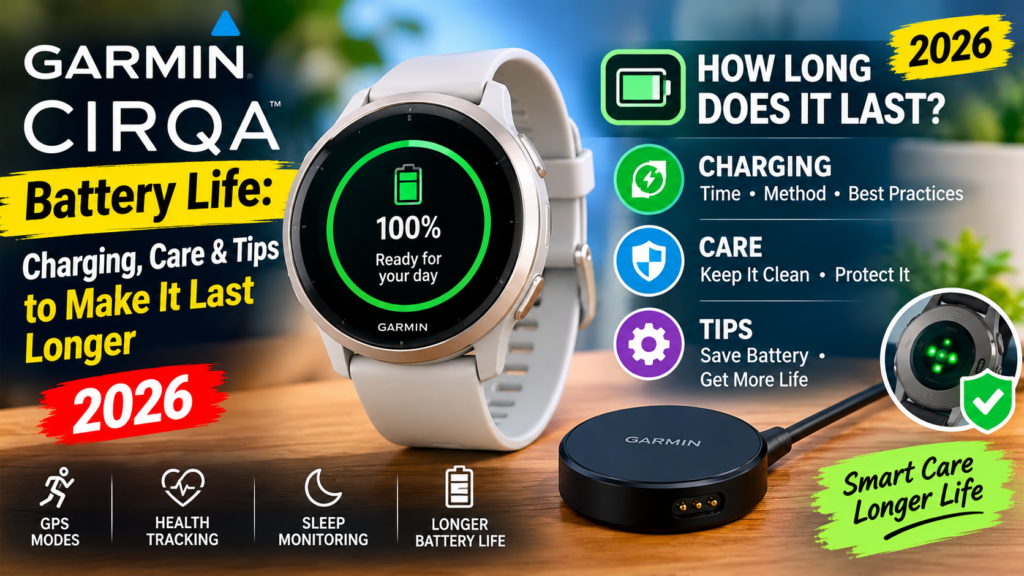
In this guide, we explain how long the Garmin CIRQA battery lasts, how to charge it, which settings may affect battery life, how to check the battery level, and what to do if the battery drains faster than expected.
Quick answer: Garmin CIRQA is rated for up to 10 days of battery life under specified usage conditions. Charging can take up to 90 minutes. For the best results, use the supplied charging cable, keep the charging contacts clean and dry, and review optional features that may increase battery consumption.
Garmin CIRQA Battery Life at a Glance
| Battery detail | What to know |
|---|---|
| Advertised battery life | Up to 10 days |
| Charging time | Up to 90 minutes |
| Battery type | Lithium-ion |
| Charging method | Garmin proprietary charging cable |
| Battery status | Garmin Connect app or device LED |
| Display | Screenless design |
| Water rating | 5 ATM |
| Subscription required for basic tracking | No |

- Screenless design minimizes distraction while offering comfort with a soft fabric band for all-day and all-night wear
- Up to 10 days of battery life means you don’t need to constantly take off your device to charge
- CIRQA Smart Band health and fitness tracker does not require a subscription for use — enabling you to make improvements …
These specifications are based on Garmin’s product information and support documentation. Actual performance varies with settings, usage, and environmental conditions.
For official details, see the Garmin CIRQA Smart Band product page and the Garmin battery-life assumptions.
How Long Does the Garmin CIRQA Battery Really Last?
Garmin advertises up to 10 days of battery life between charges. The phrase “up to” is important: it describes an estimated maximum under specified conditions, not a guarantee that every owner will get exactly 10 days.
Garmin’s published estimate assumes approximately 30 minutes of activity per day and one hour per day outside the connected phone’s Bluetooth range. Longer activity sessions and certain optional features can reduce battery life.
Your results may also vary depending on how consistently the band connects and syncs with your phone and which monitoring options you use.
What can reduce battery life?
Several settings and habits can affect how long CIRQA runs between charges:
- Long activity sessions: Recording more than the assumed daily activity time can reduce the estimated battery duration.
- Pulse Ox tracking during sleep: Enabling blood oxygen measurements while sleeping may use additional power.
- Heart-rate broadcasting: Sending heart-rate data to a compatible device can consume extra battery.
- Frequent battery checks: Garmin notes that checking battery status through the device LED can affect the estimated battery life.
- Daily alerts: Certain enabled alerts, including step-goal, hourly, and high-stress alerts, may use additional power.
You do not necessarily need to turn off every feature to maximize battery life. Instead, decide which features you genuinely use and adjust optional settings if the band needs charging more frequently than expected.
How to Charge the Garmin CIRQA Correctly
Garmin CIRQA uses a proprietary charging cable rather than a universal smartwatch charging method. Keep the supplied cable in a safe place so you can charge the device whenever necessary.
Follow these steps to charge your band.
- Remove the CIRQA module from situations where moisture or dirt could interfere with charging.
- Inspect the charging contacts and surrounding area.
- Make sure the contacts are thoroughly clean and dry.
- Connect the appropriate end of the supplied charging cable to the charging port on the module.
- Connect the other end to a suitable USB charging port.
- Check the LED to confirm that charging has started.
- Allow the band to charge fully before disconnecting it.
According to Garmin’s instructions, the LED flashes green while charging and shows solid green when charging is complete. A full charge can take up to 90 minutes.
Read Garmin’s official CIRQA charging instructions if you need to confirm the procedure.
Should you charge it to 100% every time?
Follow Garmin’s charging guidance and use the device’s battery indicators to determine when charging is complete. There is no need to invent a special charging schedule or repeatedly disconnect and reconnect the cable without a reason.
For everyday convenience, charging when the battery is low and allowing it to complete its normal charging cycle is a practical approach.
7 Tips to Help Your Garmin CIRQA Battery Last Longer
You cannot guarantee 10 days of battery life in every situation, but a few sensible adjustments can help reduce unnecessary power use.
1. Review Pulse Ox Settings
Pulse Ox tracking can measure estimated blood oxygen saturation, and Garmin notes that using it during sleep may reduce battery life.
If you do not need overnight Pulse Ox readings, review the relevant settings in Garmin Connect and consider disabling this optional feature. Keep in mind that doing so means you will no longer receive those measurements from the band during the periods when the feature is off.
Pulse Ox readings from a consumer wearable are not a substitute for medical testing or professional advice.
2. Limit Heart-Rate Broadcasting to When You Need It
CIRQA can broadcast heart-rate data to compatible Garmin devices. This may be useful during a workout when you want another device to display your heart rate.
If you are not using this feature, avoid leaving it active unnecessarily. Check the relevant device settings and Garmin’s instructions before changing how heart-rate broadcasting works.
3. Review Alerts and Notifications
Daily alerts can be helpful, but not every alert is essential for every user.
Open Garmin Connect and review the alerts available for your CIRQA. Keep the ones that support your routine and disable optional alerts you rarely use. This can reduce unnecessary activity and may help battery life.
4. Keep Your Phone Connection Practical
CIRQA works with Garmin Connect on a compatible smartphone. Keep Bluetooth enabled when you want the band to synchronize data, and avoid repeatedly disconnecting and reconnecting devices without a reason.
Garmin’s 10-day estimate already allows for a specified amount of time outside Bluetooth range, so occasional disconnection does not automatically mean the battery is faulty.
If synchronization problems continue, troubleshoot the connection rather than assuming the battery itself is damaged.
5. Avoid Unnecessary Activity Recording
CIRQA supports manually recorded and automatically detected activities. Recording workouts is useful for tracking your progress, but longer recorded sessions can reduce battery life compared with Garmin’s stated usage assumptions.
Start an activity when you need the additional workout data and stop it when the session is finished. Check your activity history if you suspect a recording has remained active accidentally.
Do not disable useful tracking simply to chase the maximum advertised battery life. Choose the balance that suits your training routine.
6. Install Available Software Updates
Garmin recommends keeping the device software up to date. Updates can include feature changes and improvements, so check Garmin Connect periodically for available updates.
An update is not a guaranteed battery-life fix. If battery drain begins after an update, monitor the device and consult Garmin Support if the problem continues.
Official instructions are available in the CIRQA owner’s manual.
7. Clean and Dry the Charging Contacts
Garmin specifically advises cleaning and thoroughly drying the charging contacts and surrounding area before charging to help prevent corrosion.
After exercise or exposure to sweat, check the module and contacts before connecting the cable. Avoid charging while the contacts are wet or dirty.
This is one of the simplest maintenance habits you can adopt without sacrificing the tracking features you want to use.
How to Check the Garmin CIRQA Battery Level
There are two main ways to check the battery status.
Method 1: Check Garmin Connect
- Open the Garmin Connect app on your paired smartphone.
- Open the device section or select the CIRQA device icon.
- Look for the battery status shown alongside the device information.
The app is generally the most convenient way to check the status without relying on the LED.
Method 2: Check the Device LED
Garmin also supports checking battery status through the device LED when the setting is enabled.
In Garmin Connect, navigate to More → Garmin Devices → CIRQA → System → Power Manager → Battery Status. Enable the option if available, then tap the top of the device twice to view the status.
Garmin’s LED indications include:
- Solid green for approximately two seconds: The battery is fully charged.
- Flashing green: The device is charging.
- Solid orange: The battery is low.
- Solid red: The battery is critically low.
The LED can communicate different statuses depending on what the device is doing, so consult the official CIRQA LED status guide if the light pattern is unclear.
Garmin CIRQA Battery Draining Fast: Troubleshooting
If your band needs charging much sooner than expected, work through these checks before assuming the battery has failed.
Check which features are enabled
Review Pulse Ox tracking during sleep, heart-rate broadcasting, alerts, and your activity-recording habits. These are among the factors Garmin identifies as potentially affecting battery life.
Check for an activity that is still running
An activity may have been started accidentally or left running after a workout. Review the app and device status, then stop the recording if appropriate.
Synchronize and check for software updates
Open Garmin Connect, allow the band to synchronize, and check for available software updates. Follow the instructions in the app rather than disconnecting or resetting the device immediately.
Inspect the charging cable and contacts
Make sure the cable is correctly connected and that the contacts are clean and dry. Check whether the LED indicates that charging has begun and whether it changes to solid green when charging finishes.
If charging does not start, try a suitable USB power source and inspect the cable for visible damage. Do not use damaged charging equipment.
Contact Garmin Support if the problem continues
If the battery still drains unusually quickly after you review the settings and charging process, contact Garmin Support. Explain how long the band lasts between charges, which features are enabled, and whether the problem began suddenly or gradually.
Avoid repeatedly performing factory resets or using unofficial repair methods without guidance.
How to Care for the Garmin CIRQA Band
Battery care is only one part of maintaining a wearable. The module and fabric band also need appropriate care, especially if you wear them during workouts and sleep.
- Keep charging contacts dry: Always clean and dry the contacts before charging.
- Follow the owner’s manual: Use Garmin’s recommended care and cleaning instructions.
- Avoid harsh cleaning methods: Do not use aggressive chemicals or abrasive tools unless Garmin specifically recommends them.
- Check the band regularly: Look for wear, damage, or signs that the module is not seated correctly.
- Store the cable safely: Avoid pulling sharply on the cable or bending it excessively.
- Use compatible accessories: Choose appropriate replacement bands and charging accessories from Garmin or an authorized seller.
CIRQA has a 5 ATM water rating, but that does not mean you should charge it while wet or ignore the cleaning instructions. Water resistance and charging safety are separate considerations.
For more care and maintenance guidance, consult the Garmin CIRQA owner’s manual.
Is Garmin CIRQA a Good Choice for People Who Want Long Battery Life?
CIRQA may suit people who prefer a screenless tracker and want to review their health and fitness information in an app rather than on their wrist.
Its advertised battery life of up to 10 days can be convenient for overnight sleep tracking, daily activity monitoring, and people who do not want to charge a wearable every night. Its lack of a display also means the experience differs from a conventional smartwatch.
However, battery life is only one factor to consider before buying.
Think about the following questions:
- Do you prefer a discreet tracker without a screen?
- Are you comfortable checking your results in Garmin Connect?
- Do you need the particular sleep, activity, and training metrics CIRQA provides?
- Are you willing to adjust optional features if battery life is shorter than expected?
- Does the device fit your budget and wrist size?
You can read our Garmin CIRQA Review 2026 for an overall assessment, or compare its features with another screenless tracker in Garmin CIRQA vs Fitbit Air.
If sleep tracking is your main priority, our Best Sleep Trackers in 2026 guide can help you compare different wearable categories. You can also read our Garmin CIRQA setup guide for pairing and first-time-use instructions.
Frequently Asked Questions
How many days does the Garmin CIRQA battery last?
Garmin rates the CIRQA Smart Band for up to 10 days between charges under specified usage conditions. Actual battery life depends on activity duration, optional features, and how you use the device.
How long does it take to charge Garmin CIRQA?
Garmin says charging can take up to 90 minutes. Use the supplied proprietary charging cable and confirm that the LED indicates charging has completed.
Does Pulse Ox tracking reduce battery life?
Garmin identifies Pulse Ox tracking during sleep as an optional feature that may reduce battery life. If you do not need those readings, review the setting in Garmin Connect.
How do I know when CIRQA is fully charged?
The device LED shows solid green when charging is complete. You can also check the battery status in Garmin Connect.
Why is my Garmin CIRQA battery draining quickly?
Longer activity sessions, Pulse Ox tracking during sleep, heart-rate broadcasting, battery-status checks, and certain daily alerts may affect battery life. Review these settings and check that the device is charging properly.
Can I use Garmin CIRQA while sleeping?
CIRQA supports sleep tracking and is designed for all-day and overnight wear. If you wear it overnight, make sure the band is comfortable and follow Garmin’s wearing and care instructions.
Does Garmin CIRQA need a subscription for battery management?
Basic CIRQA use does not require a Garmin Connect+ subscription. Battery status can be checked through Garmin Connect or the device LED when the relevant setting is enabled.
Should I replace the battery if it no longer lasts 10 days?
Not necessarily. First review usage, optional features, charging contacts, and software updates. If the battery performance remains unusually poor, contact Garmin Support to discuss the available service options.
Final Verdict
Garmin CIRQA offers up to 10 days of advertised battery life, but your results will depend on how you use it. The most useful habits are straightforward: charge with the supplied cable, clean and dry the contacts, check the battery status, and review optional features that may increase power use.
If your band does not approach the advertised duration, remember that the 10-day figure is an estimate rather than a guarantee. Check Garmin’s official support guidance before assuming the battery is defective.
Editorial note: Battery specifications and maintenance guidance in this article are based on Garmin’s published product information, owner’s manual, and support documentation. Individual results may vary.